One month of work on your website, step by step
What Citanto does each month on your site, and what is left to you.
- 1 · Audit
Citanto checks what your site gives AI crawlers
It fetches your homepage, robots.txt and sitemap, then up to 15 pages listed in the sitemap. It checks what your robots.txt allows AI crawlers, whether your pages can be read without JavaScript, whether your structured data describes your business, and whether your pages carry the basics an answer needs: your name, address, phone, the towns you cover, a page that answers common questions.
It reads the HTML your site serves; it cannot see what each AI engine actually fetched. The findings are ranked, and the same audit runs again every month.
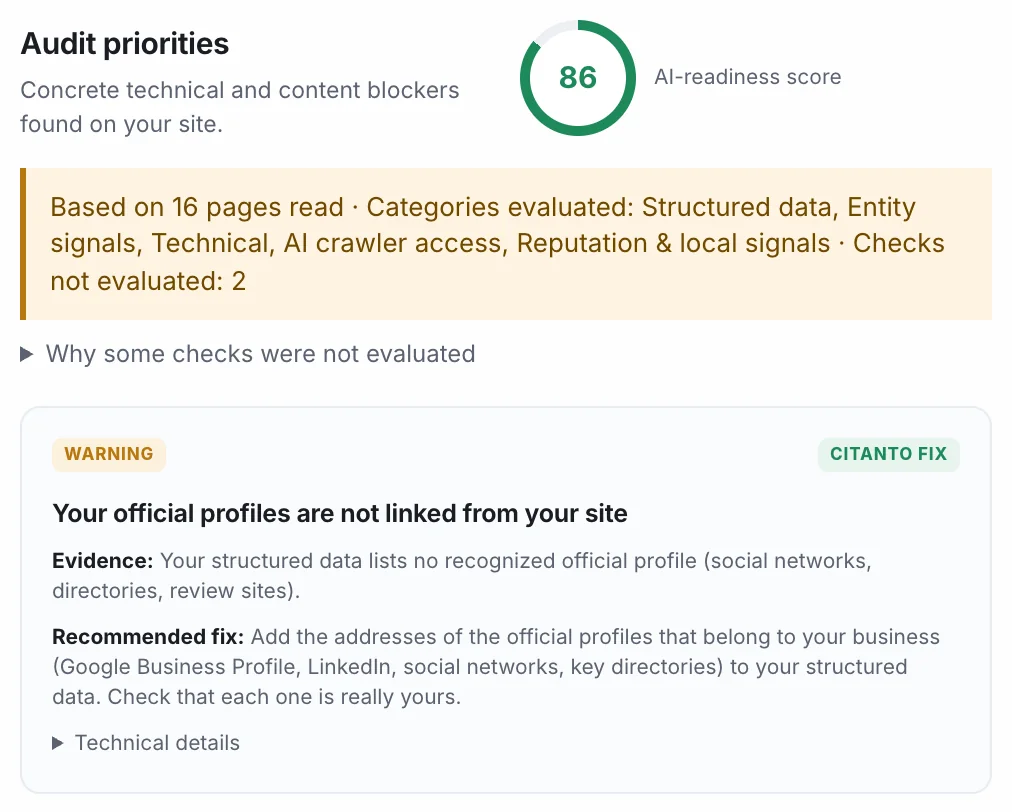
Citanto with a demo plumbing business in Dublin. The data is simulated. - 2 · Business profile
You give the facts once
Services, prices, the towns you cover, opening hours, certifications, what sets you apart and the proof you can show. You can also set a tone, a point of view and words to avoid.
This profile is the only source Citanto writes from. When something changes in your business, you change it here.
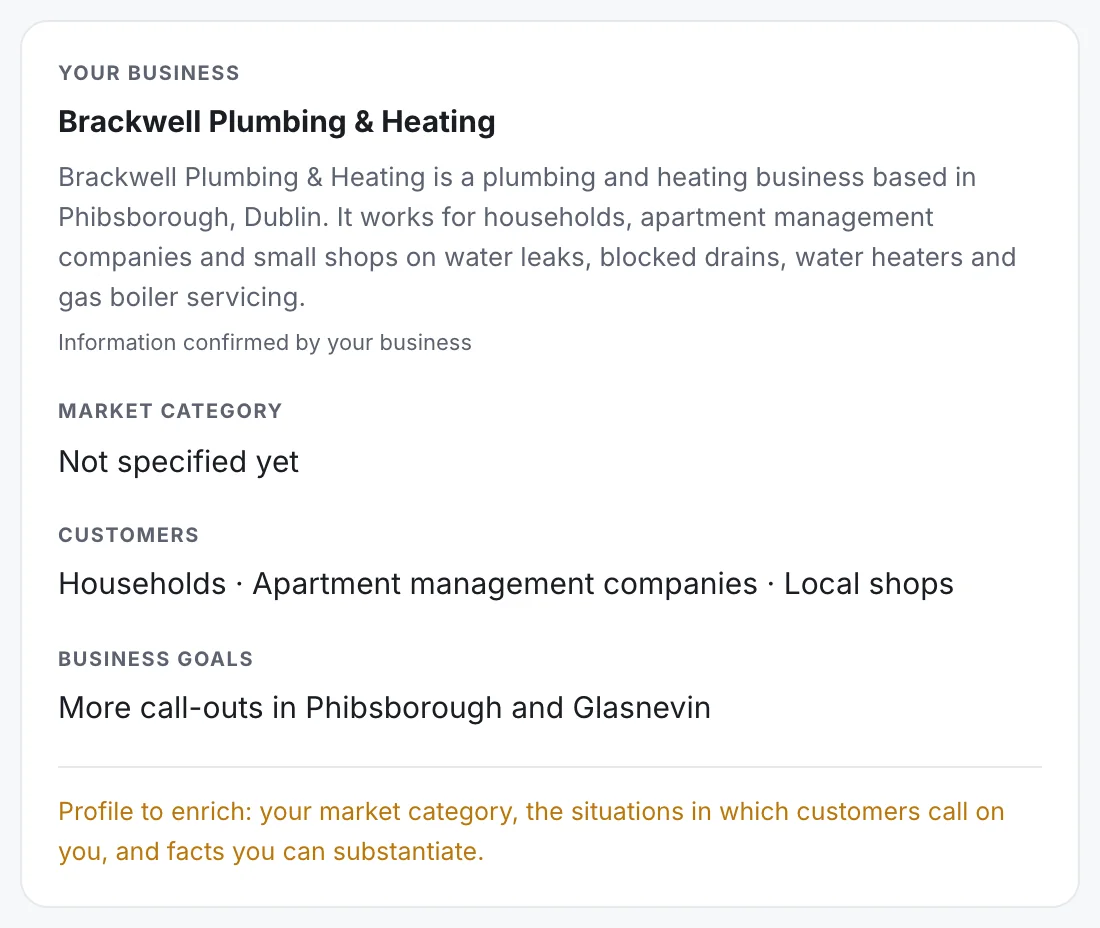
Citanto with a demo plumbing business in Dublin. The data is simulated. - 3 · Drafts
Pages written from your facts, checked before you approve them
Citanto plans the month's pieces from the audit and from the questions of your trade: a price guide, a page about the area you cover, a frequently asked questions page, an update to a page you already have.
Its figures are compared with your profile, and one that is not there holds the draft. Its statements are then checked against the profile; the review page shows the result, or says so when that check could not run. You read the draft, change what you want and approve it.
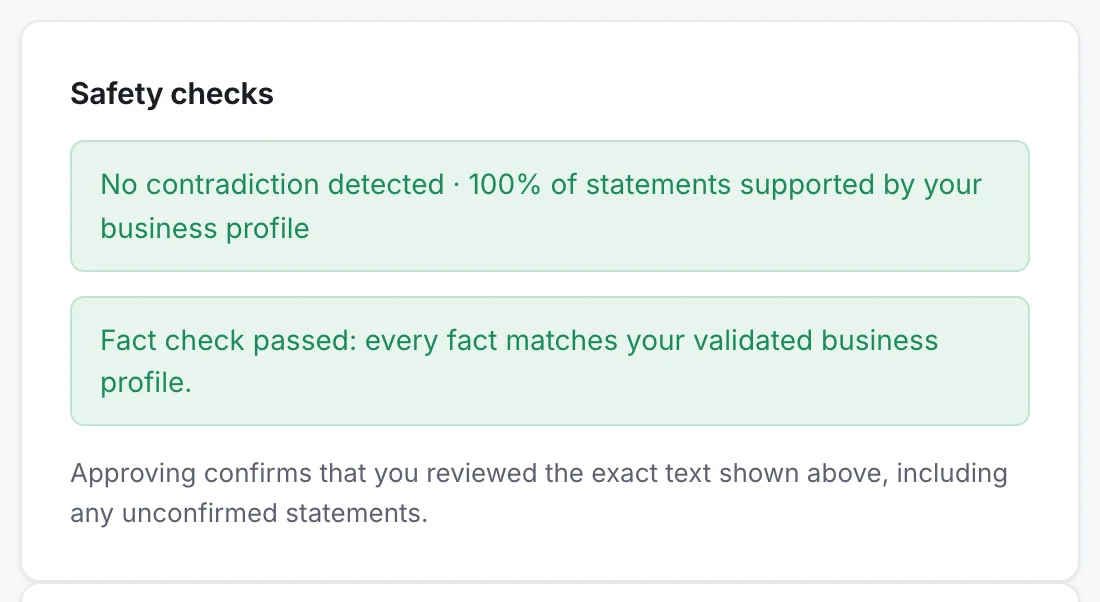
Citanto with a demo plumbing business in Dublin. The data is simulated. - 4 · Delivery
On WordPress, new articles arrive as drafts
The Citanto plugin adds structured data that describes your business and, when no other plugin serves one, an llms.txt file. New articles arrive in WordPress as drafts, with their own structured data. An update to a page already online comes with the changes for you to copy in.
On Shopify, Wix, Duda or a custom site, each approved article comes as a kit: the text, its description and the steps to publish it.
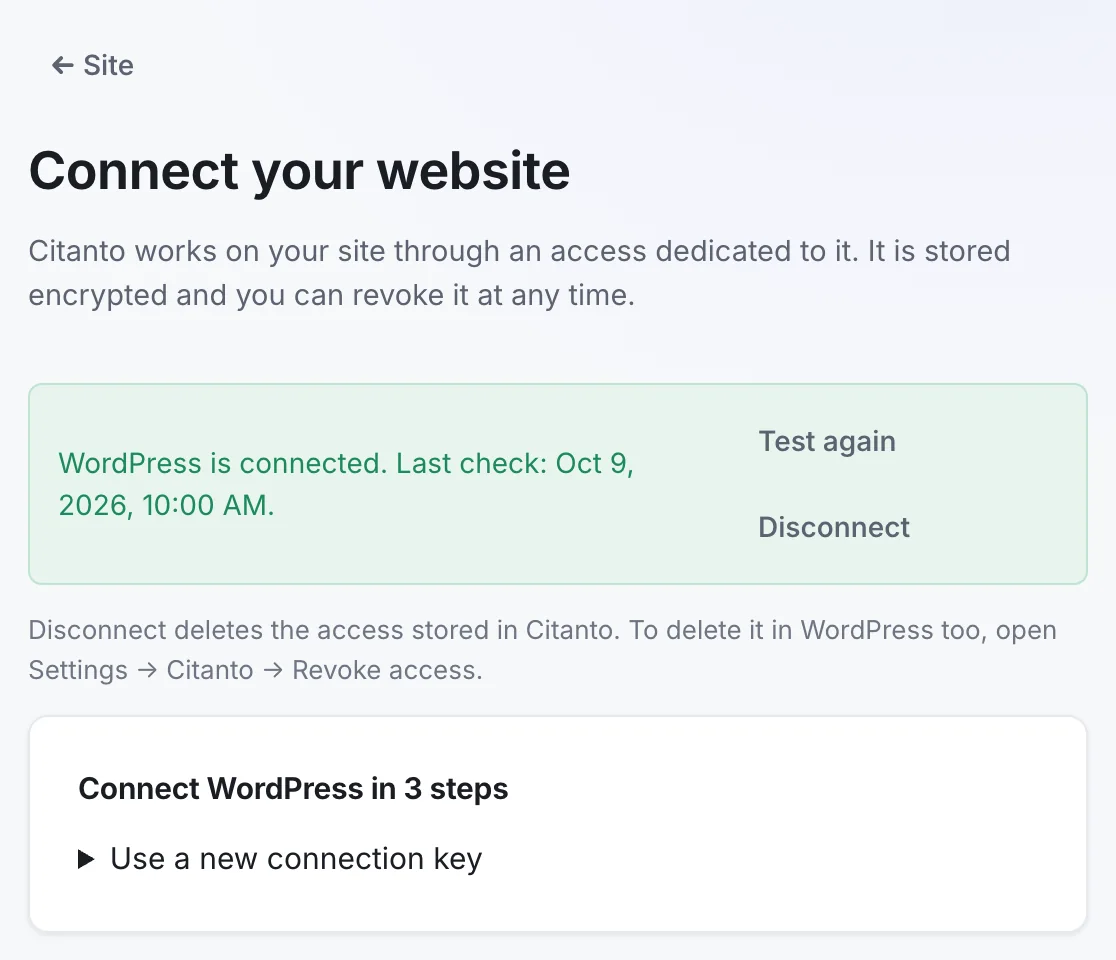
Citanto with a demo plumbing business in Dublin. The data is simulated. - 5 · Measurement and report
The answers, every month, with their sources
A fixed panel of questions about your business goes to the OpenAI, Perplexity, Gemini and Claude APIs, with web search on. Each question is asked twice per engine. Citanto records whether your business is named, whether your site is cited, and which other businesses appear.
In the app you can open any answer and read it in full. The monthly report sums up the work delivered, the rates measured per engine and the sources cited most.
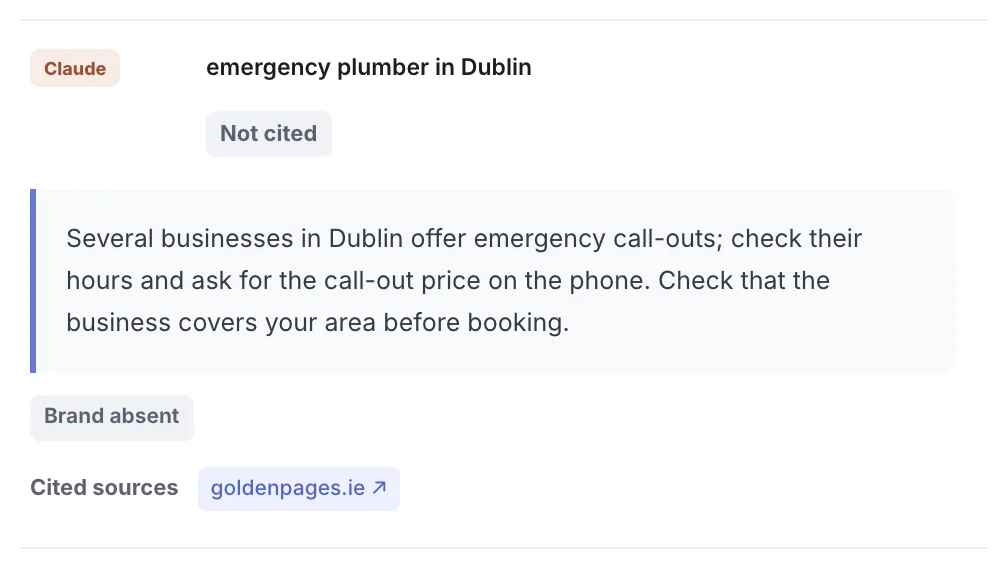
Citanto with a demo plumbing business in Dublin. The data is simulated.
What the measurement covers
Measurement is a sample taken every month from your first one, so you have a starting point. It shows a trend on the same questions and the sources the engines rely on.
- Your questions
- Built from templates for your trade, filled with your town and your offers, for example “emergency plumber in Dublin” or “how much does a plumber cost in Dublin”. They stay the same from month to month, so you can compare months.
- Size of the panel
- 15 questions on Starter, 30 on Growth and Agency, each asked twice to each engine through its API. These answers show a trend on fixed questions; they do not cover every conversation people have in the ChatGPT or Gemini apps.
- Mention and citation
- A mention is your name in the answer. A citation is a link to your site among its sources. The report shows both.
- Other businesses
- In the app, the answer explorer lists the businesses that appear in your place. The report shows the sites the engines cite most for your questions.
Who does what
The split is the same on every plan.
Citanto
- Audits your site every month
- Plans the pages your site is missing
- Drafts them from your business profile
- Checks each figure against that profile
- Prepares your structured data, installed by the WordPress plugin
- Asks the AI engines your questions and keeps every answer
- Writes a monthly report
You
- Fill in your business profile, then keep it current
- Read each draft, edit it if needed, approve it
- Publish in WordPress, or paste the kit on other platforms
- Read the report and choose what comes next
What Citanto does not do
- Promise a ranking
- No tool decides what an AI engine answers. Citanto shows the work done and the answers measured, so you can judge for yourself.
- Publish without you
- Every article waits for your approval, and on WordPress it arrives as a draft.
- Write in sensitive fields
- For health, legal and financial practices, Citanto audits and measures but does not generate content.
- Invent proof
- Drafts are written with instructions never to add reviews, figures, certifications or client names that your profile does not give.
Start with your own site
The audit is free and needs no account. It shows what AI assistants can read today.
Frequently asked questions
How long before I see a change in AI answers?
Nobody can promise a timeframe. AI engines update their sources on their own schedule, and their answers vary from day to day. The monthly report shows the same questions over time, so you can follow the trend.
Can I write or edit the drafts myself?
Yes. You can edit every draft before approving it, and set a tone, a point of view and words to avoid for all of them.
What happens to my site if I stop?
The pages you published stay on your site. On WordPress, removing the Citanto plugin also removes the access it created.